Guidance for Editorial Management System
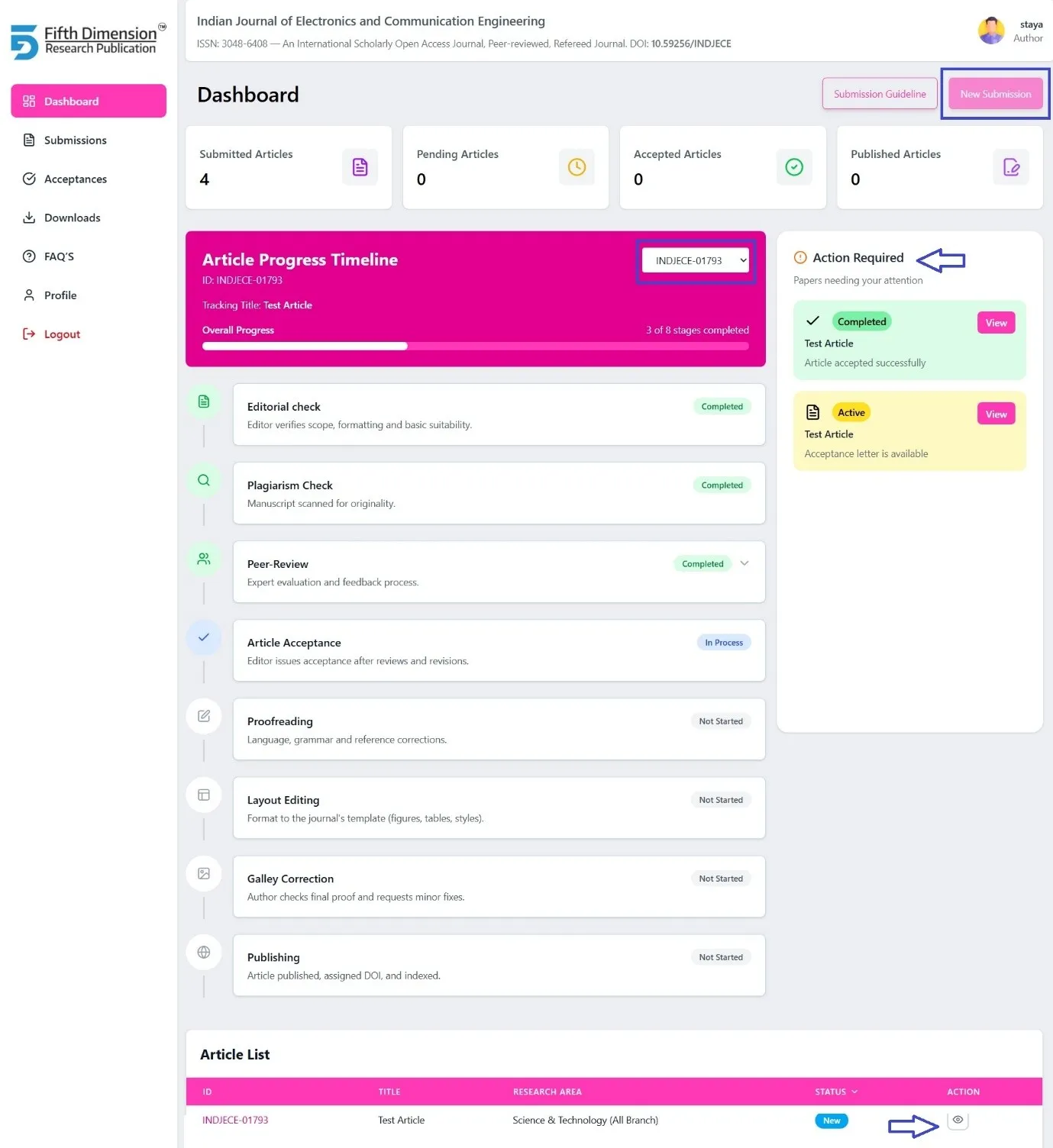
🧭 EMS Dashboard – Author Interface Structure
🔷 Top Dashboard Sections (Quick Access Cards)
1. New Submission
- Submit a new manuscript
2. Submission Guidelines
- Step-by-step guide to Authors
3. View Article Process Timeline
- Visual progress of the article (Submission → Publication)
4. Review Process
- Review stages and current status
5. Action Required
- Pending actions related to the article
(Revisions, profile update, copyright, payment, final submission)
📄 Article List Section
In Article List View:
- Article ID / Paper ID, Article Title, Journal Name, Current Status
➡️ Clicking the Paper ID opens the Detailed Article View, including:
- Article details, Workflow status, Review reports
- Acceptance / Payment / Final submission tabs
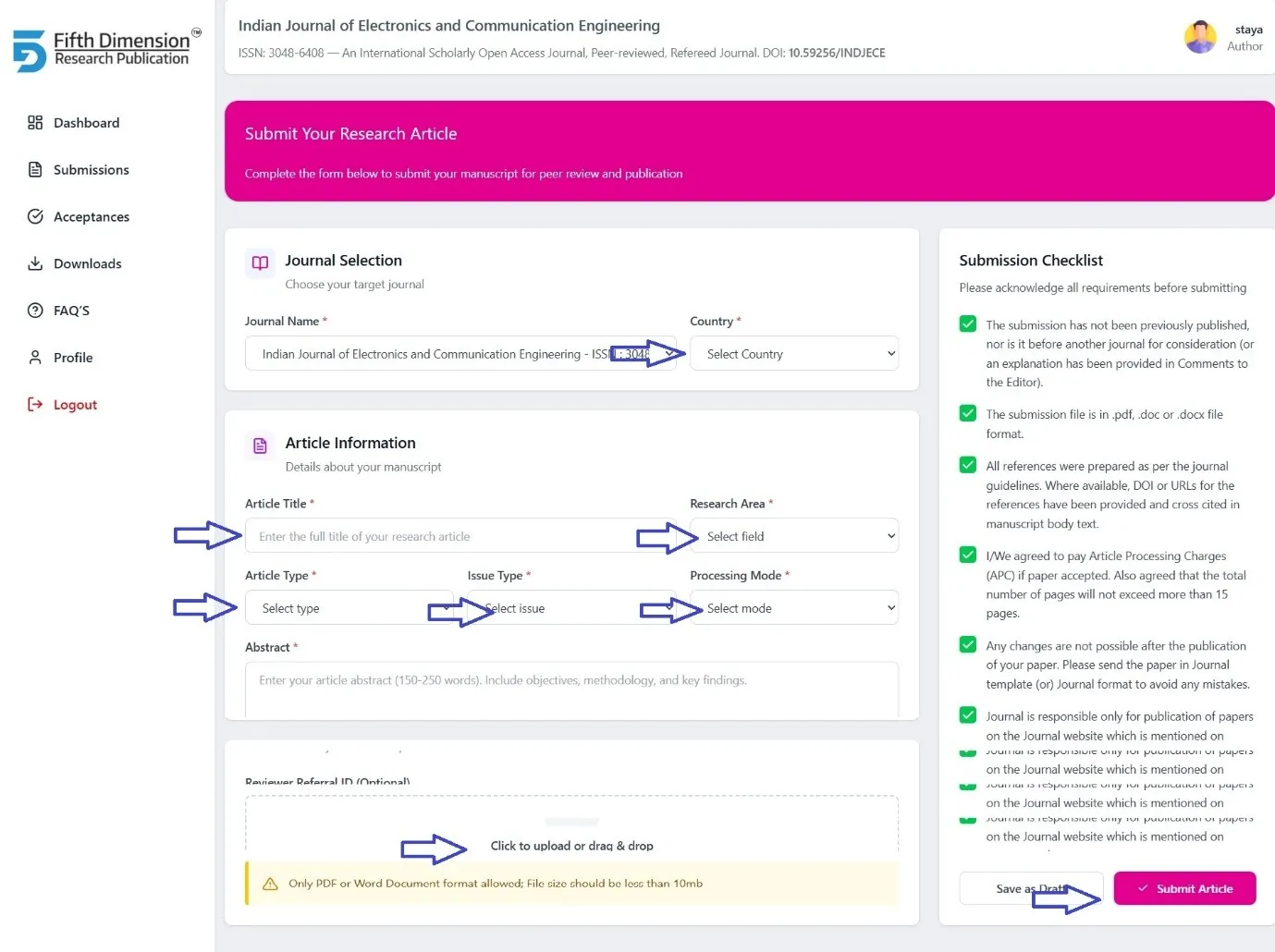
🆕 New Submission – Submit Your Article
To submit a new manuscript, please follow the steps below:
🔹 Step 1: Start Submission
- Click on New Submission from the dashboard.
🔹 Step 2: Enter Article Details
Fill in all required fields carefully:
- Research Area
- Mode of Process (Normal / Fast / Express Track, if applicable)
- Type of Article (Research Article, Review Article, Case Study, etc.)
- Type of Issue (Regular Issue / Special Issue)
- Reviewer Referral ID (Optional)
🔹 Step 3: Upload Manuscript
- Upload your article file in PDF or Word format only
- Maximum file size: 10 MB
- Ensure the manuscript follows the journal guidelines
🔹 Step 4: Submit
- Verify all entered details and uploaded file.
- Click Submit to complete the submission process.
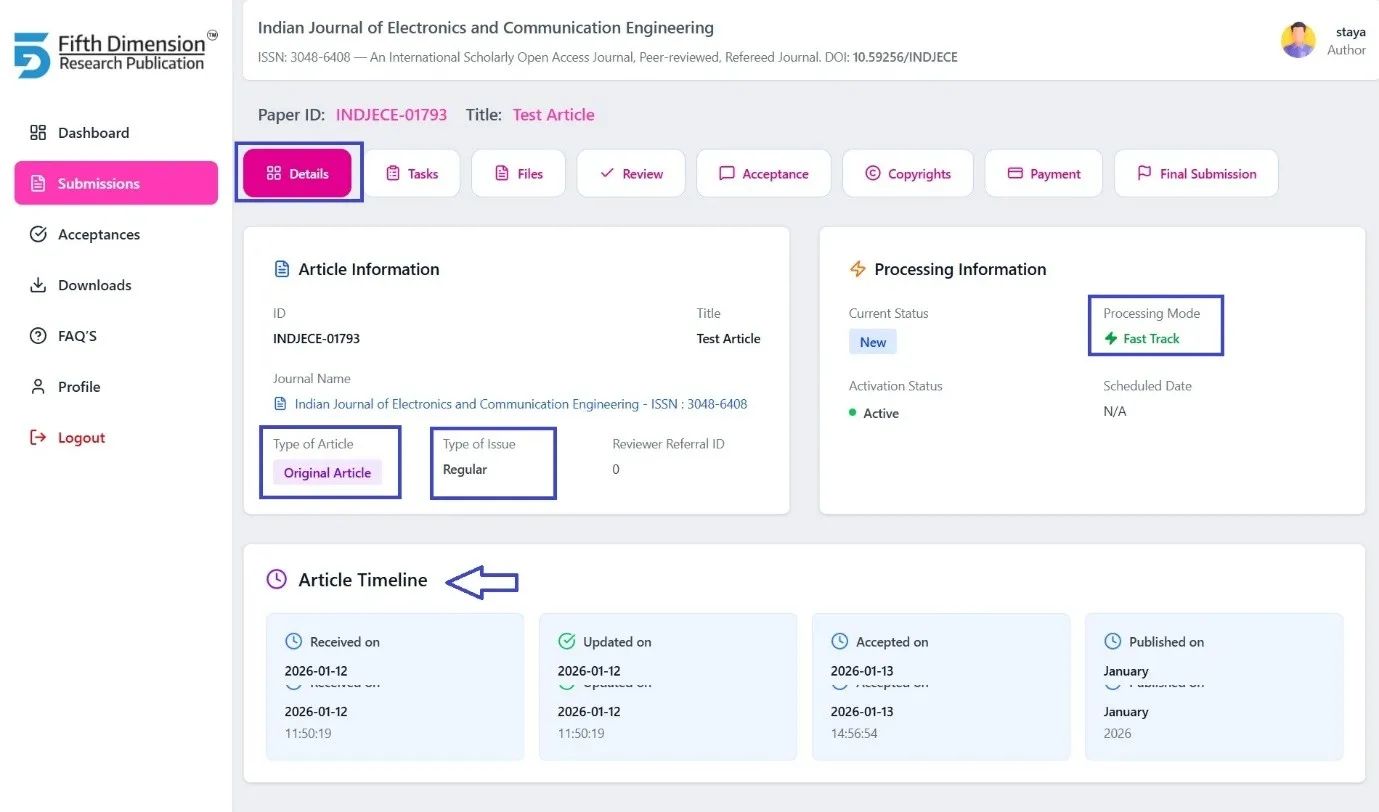
1. Details Tab
Purpose: Provides complete manuscript and journal information
Includes:
- Journal Details
- Article Information
- Processing Information
- Type of Article
- Mode of Processing (Normal / Fast / Express Track, etc.)
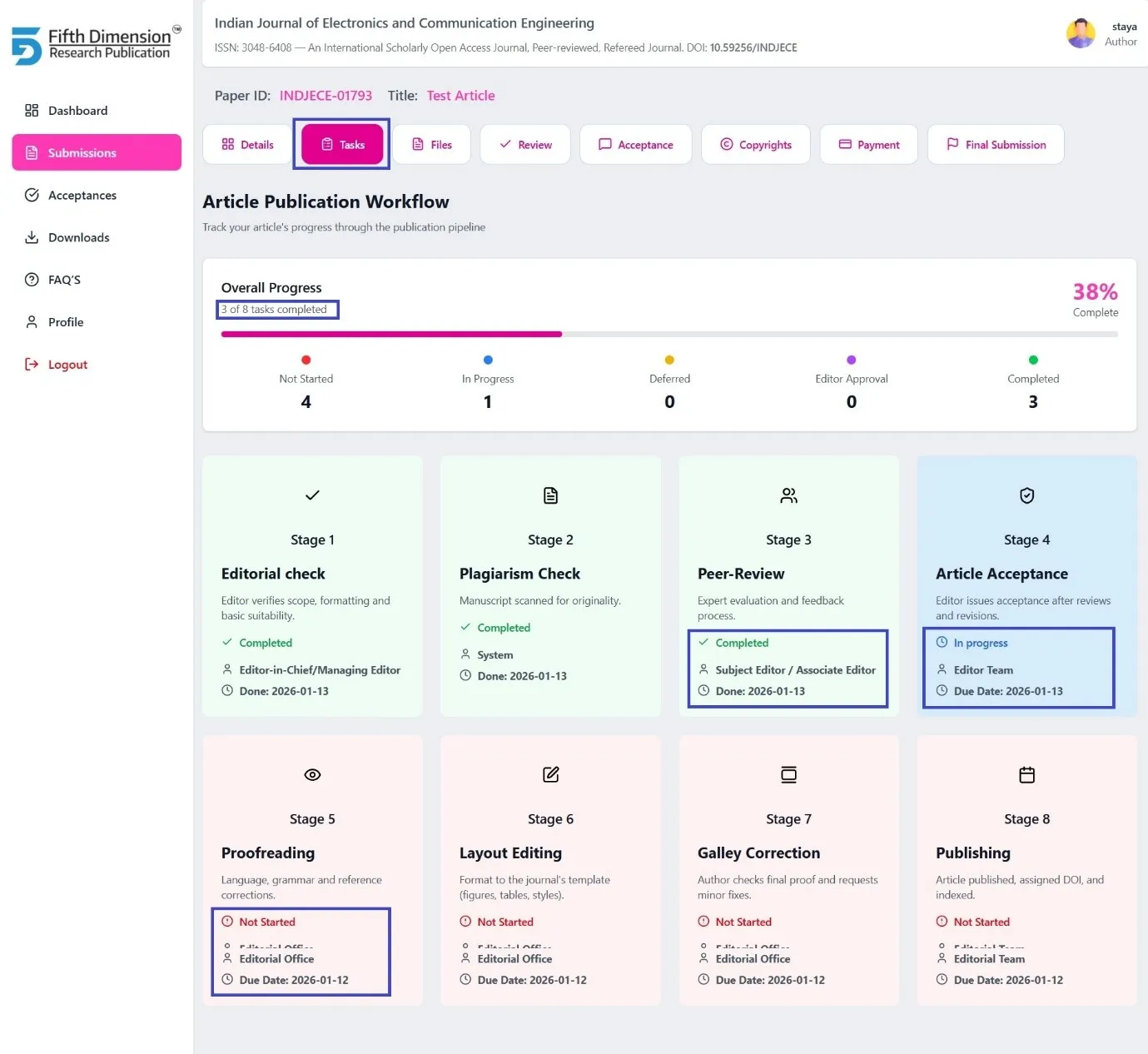
2. Task Tab – Workflow Overview
Purpose: Displays the real-time editorial progress
Workflow Stages:
- Editorial Check
- Plagiarism Check
- Peer Review
- Acceptance
- Proofreading
- Layout Editing
- Galley Correction
- Publishing
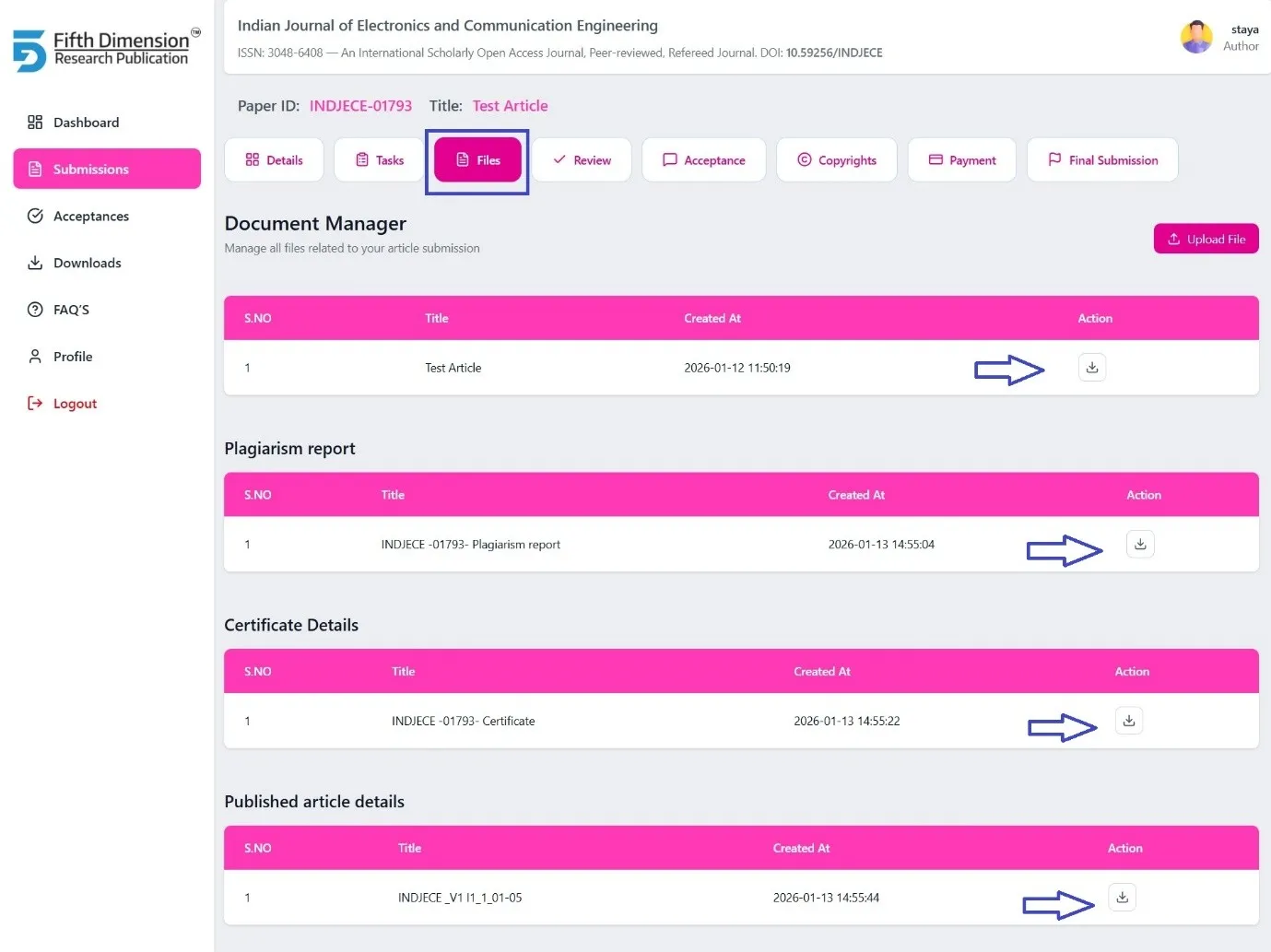
3. Files Tab
Purpose: Central repository for all article-related documents
Includes:
- Initially Submitted Manuscript
- Plagiarism Report
- Certificates downloads (All authors)
- Published Article (Final PDF)
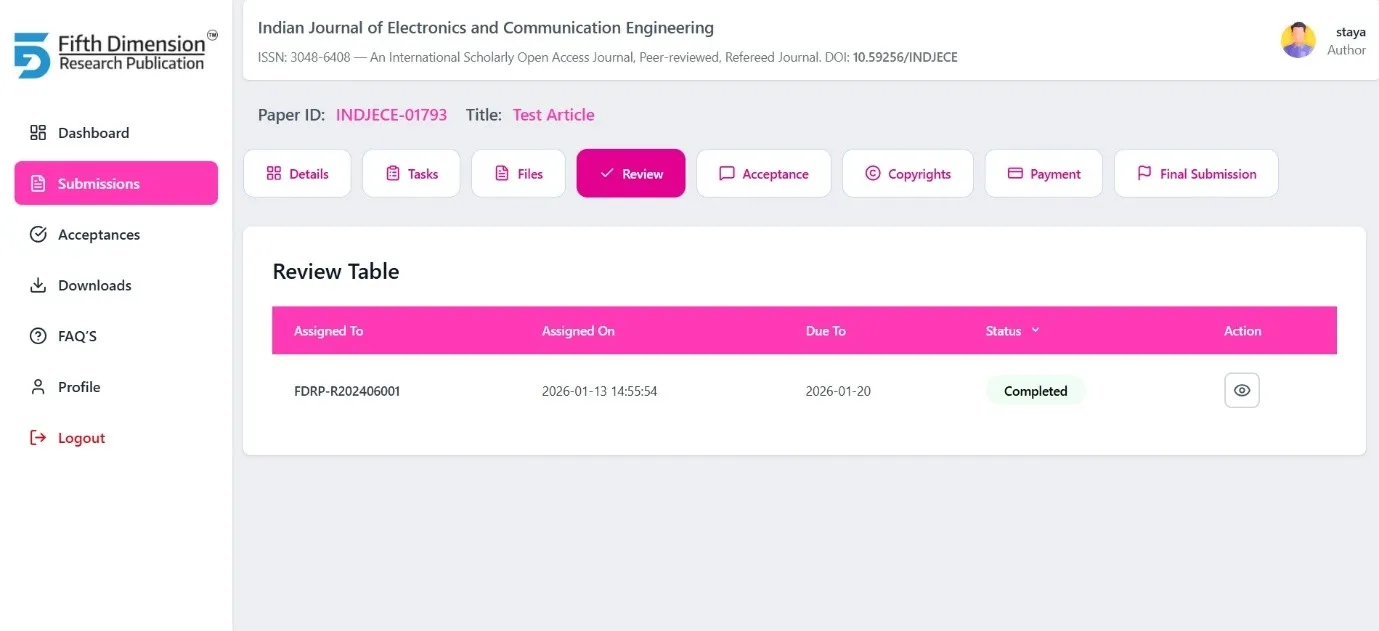
4. Review Tab
Purpose: Review monitoring and transparency
Includes:
- Review Status
- Reviewer Comments / Review Reports
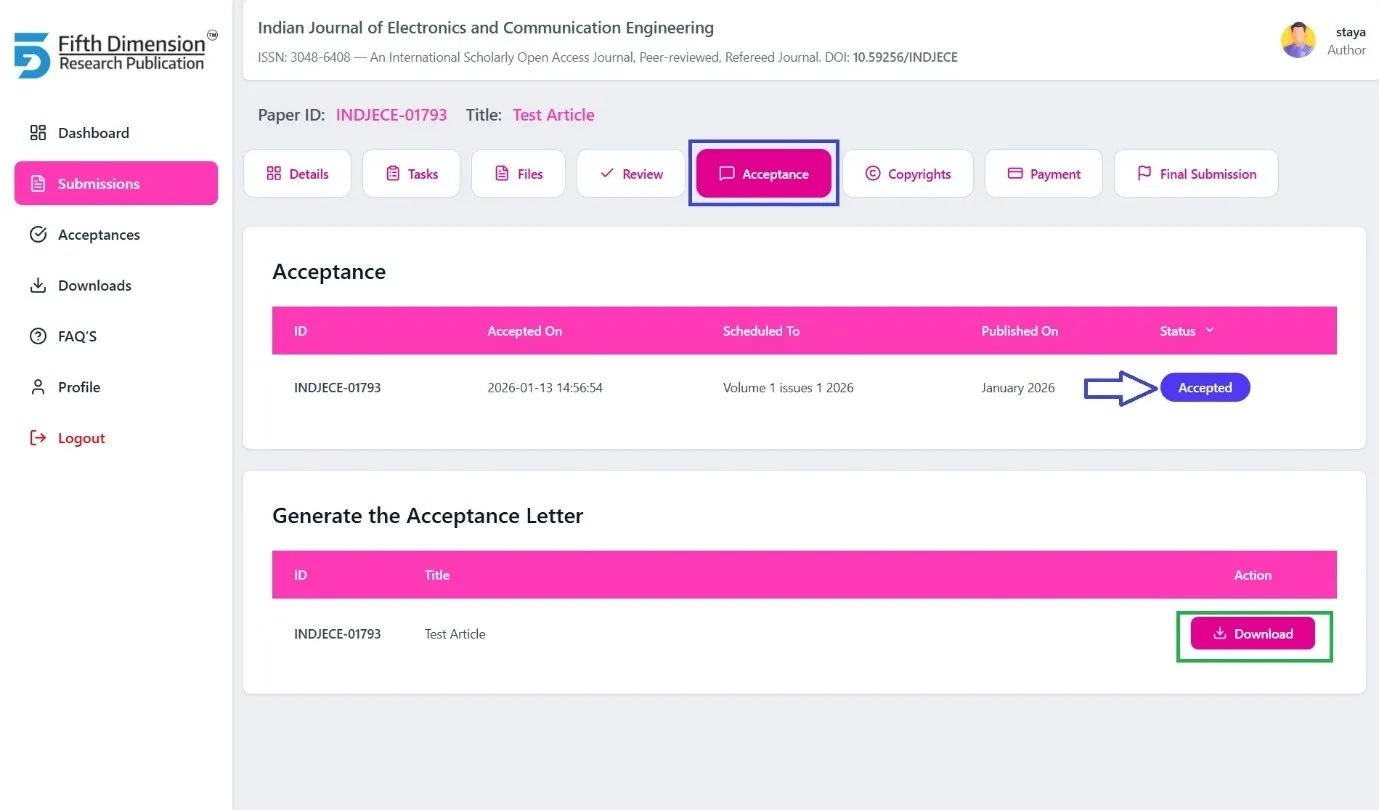
5. Acceptance Tab (🔓 Auto-enable tabs based on article Acceptance status)
Purpose: Official acceptance communication
Includes:
- Acceptance Status
- Tentative Publication Date
- Acceptance Letter (Generated after author updates profile details)
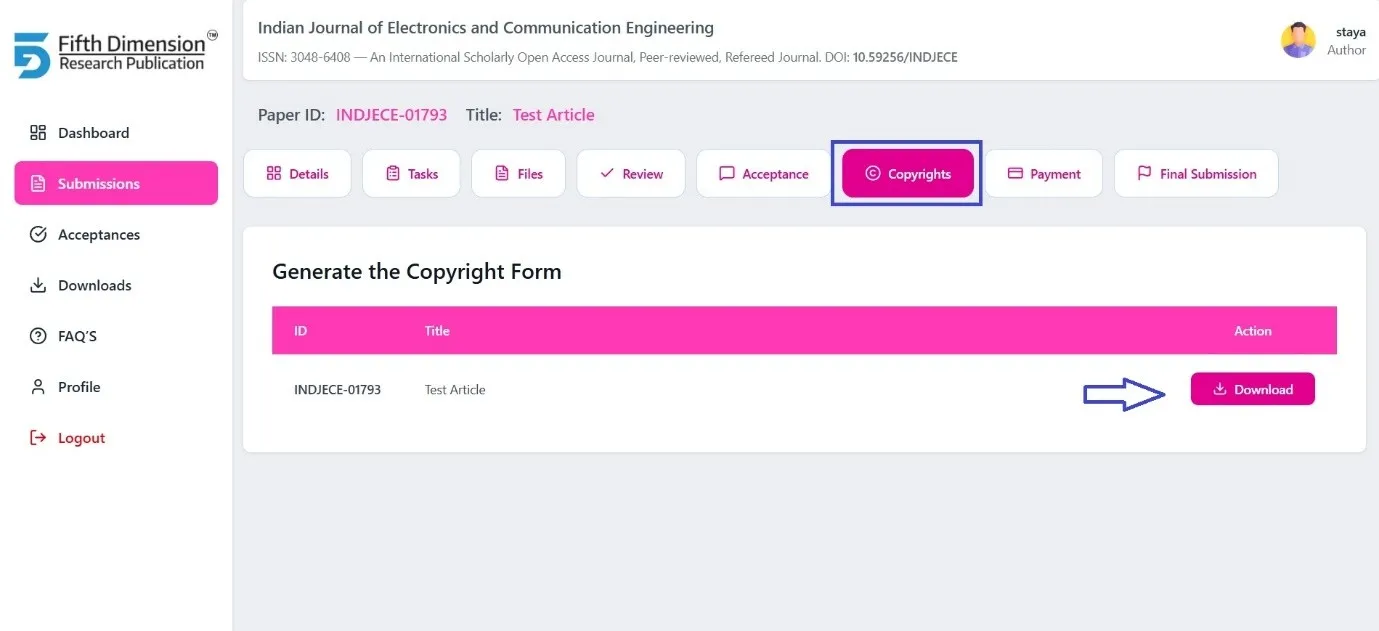
6. Copyright Tab (🔓 Auto-enable tabs based on article Acceptance status)
Purpose: Copyright compliance
- Enabled after acceptance
- Download copyright form
- Author must update profile details to generate the form
- Upload manually signed copyright form
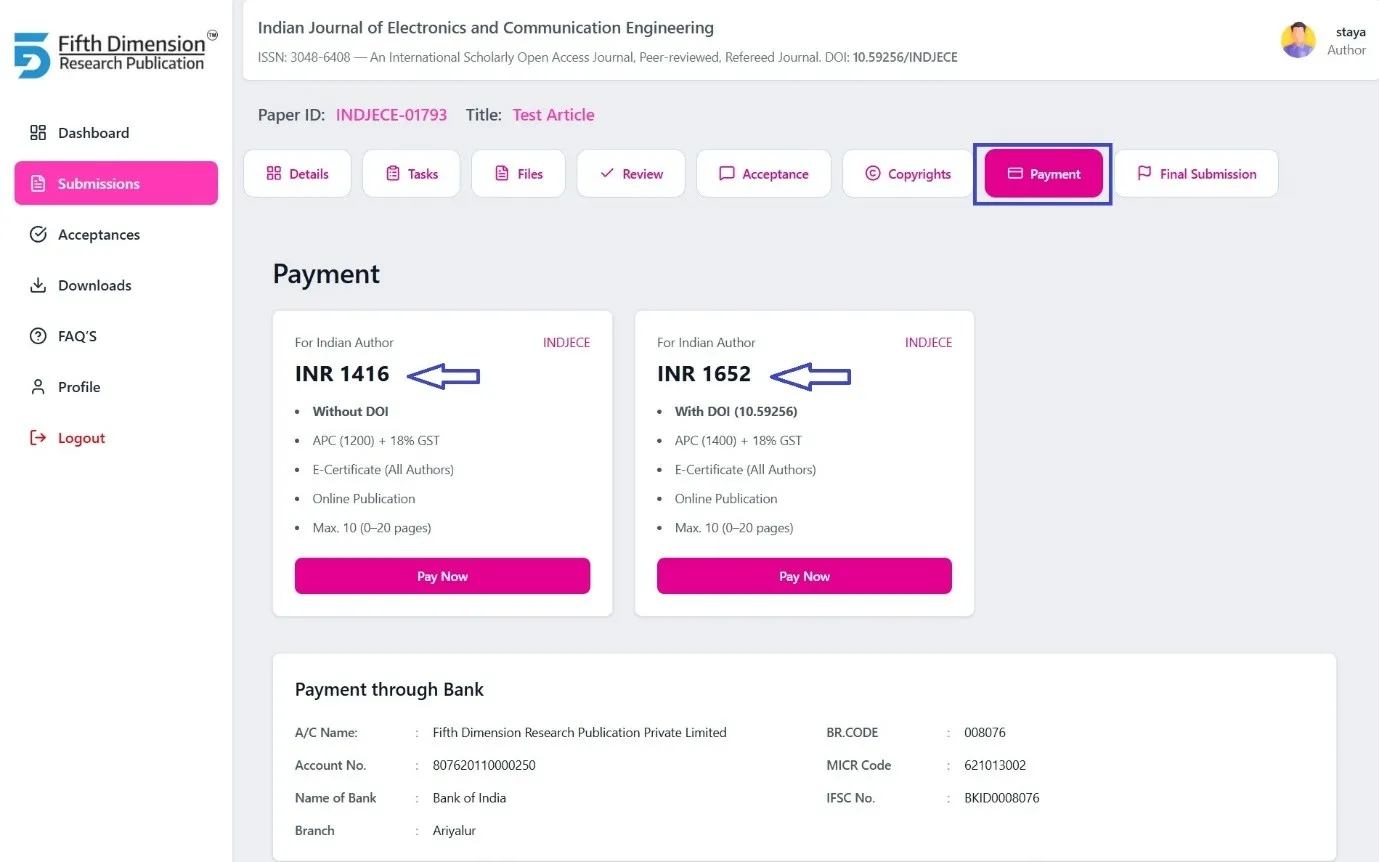
7. Payment Tab (🔓 Auto-enable tabs based on article Acceptance status)
Purpose: Article Processing Charge (APC) handling
- Enabled after acceptance
- APC payment options:
- o Indian Authors
- o Non-Indian Authors
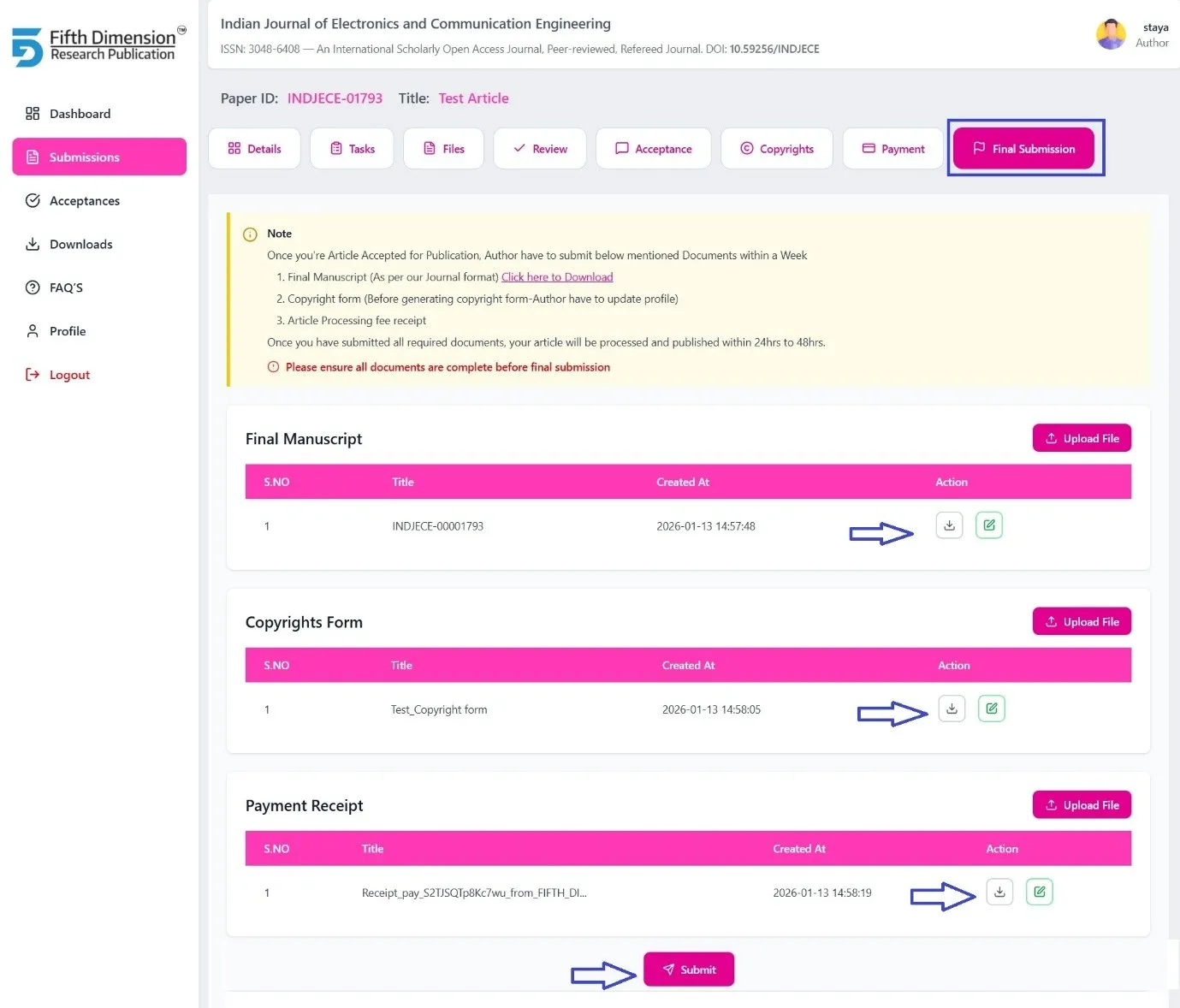
8. Final Submission Tab
Purpose: Final step before publication
⏱ Timeline: Must be completed within one week of acceptance
Author must upload:
- Final Manuscript (as per journal format)
- Signed Copyright Form
- Article Processing Fee Receipt
- o With DOI / Without DOI (as applicable)
➡️ After successful verification, the article proceeds to publication.

CrossRef DOI is assigned to research Article published in our journal. INDJECE DOI prefix is 10.59256/indjece